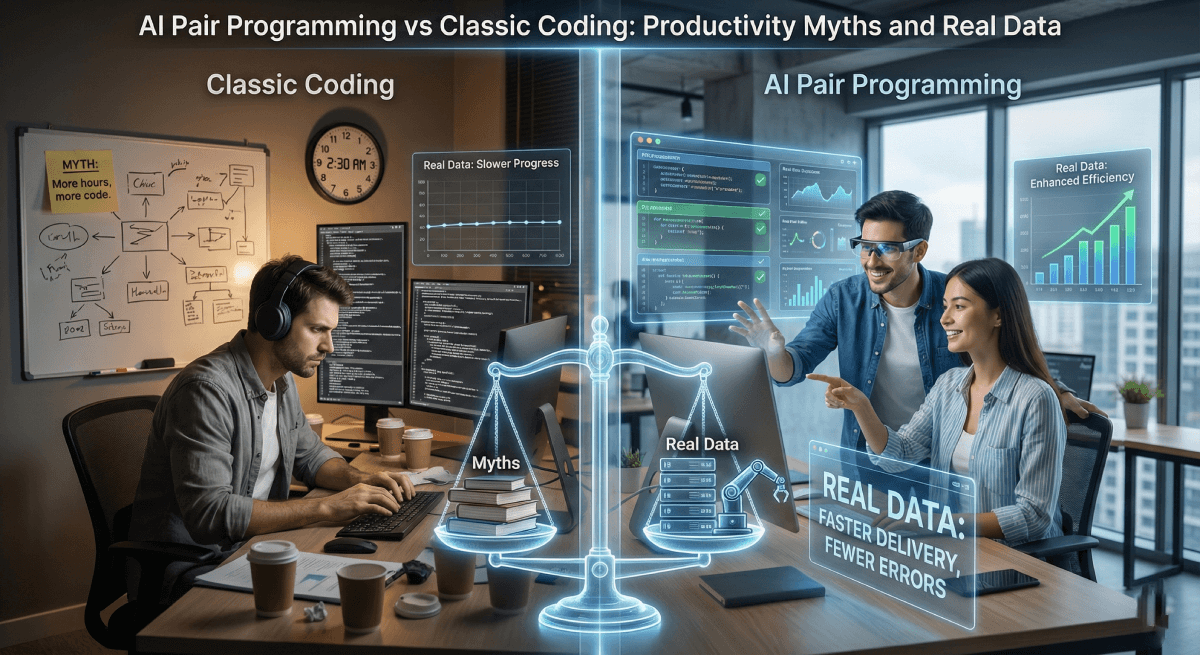
AI Pair Programming vs Classic Coding: productivity myths and real data
Does AI pair programming actually boost developer productivity? We analyze real studies, benchmark data, and common myths to help you decide.
In 2024, GitHub reported that over 1.3 million developers were actively using Copilot. Cursor reached profitability in record time. Every week, a new AI coding assistant enters the market with bold claims: "Double your productivity," "Ship 10x faster," "Write code at the speed of thought."
The hype is deafening. But beneath the marketing noise, a quieter question persists among developers: does AI pair programming actually make us more productive, or are we just typing faster while thinking less?
The answer, as with most things in software engineering, is nuanced. Early adopters swear by their AI assistants. Skeptics point to bloated codebases and subtle bugs introduced by generated code. Meanwhile, engineering managers struggle to measure real impact beyond anecdotal evidence.
This article cuts through the noise. We won't tell you AI is the future or dismiss it as a gimmick. Instead, we'll examine what peer-reviewed studies, industry benchmarks, and real-world data reveal about AI-assisted development versus traditional coding. Where does AI genuinely accelerate work? Where does it fall short? And what are the hidden costs nobody mentions in product demos?
Let's look at the numbers.
What Is AI Pair Programming?
AI pair programming refers to the practice of writing code alongside an artificial intelligence assistant that suggests, generates, or completes code in real time. Unlike traditional pair programming—where two developers share a keyboard and discuss solutions—AI pair programming involves a human-machine collaboration where the AI acts as an always-available coding partner.
The concept borrows its name from the well-established pair programming methodology, but the dynamics differ significantly. A human pair challenges your assumptions, asks clarifying questions, and brings domain expertise. An AI pair predicts your next lines based on patterns learned from millions of repositories.
How It Differs from Classic Autocomplete
Traditional IDE autocomplete suggests variable names, method signatures, or syntax completions based on your current file and imported libraries. It operates on deterministic rules and local context.
AI coding assistants go further. They analyze your entire codebase, understand natural language comments, and generate multi-line functions or even complete files. They can explain code, refactor existing logic, write tests, and answer technical questions without leaving your editor.
The shift is not incremental—it represents a fundamentally different interaction model with your development environment.
The Current Landscape
Several tools now dominate the AI pair programming space:
- GitHub Copilot remains the market leader, deeply integrated with VS Code and JetBrains IDEs. Powered by OpenAI's models, it offers inline suggestions and a chat interface for longer queries.
- Cursor has emerged as a strong alternative, building an entire IDE around AI-first workflows. Its ability to reference large codebases and edit multiple files simultaneously has attracted a dedicated following. Learn more in our Cursor AI guide.
- Claude Code takes a different approach as a command-line tool, enabling developers to delegate complex coding tasks directly from their terminal through agentic interactions.
- Codeium, Amazon CodeWhisperer, and Tabnine offer free or enterprise-focused alternatives with varying degrees of capability and privacy controls.
For a comprehensive comparison, see our guide on the best AI coding assistants in 2026.
Each tool makes similar promises. The question is whether those promises hold up under scrutiny.
The Productivity Myths — What We're Told
Browse any AI coding tool's landing page and you'll encounter a familiar set of claims. These assertions have been repeated so often that many developers accept them as established facts. Before we examine the evidence, let's articulate exactly what we're being sold.
Myth #1: "AI Makes Developers 2x Faster"
This is the flagship claim. GitHub's own research suggested that developers using Copilot completed tasks 55% faster than those coding without assistance. Other vendors cite even more impressive figures—some claiming 2x or 3x productivity gains.
The implication is clear: adopt AI tools and your team will ship twice as much code in the same amount of time. Roadmaps will accelerate. Deadlines will be met. The productivity crisis in software development will finally be solved.
But what does "faster" actually mean? Faster at typing? Faster at completing isolated coding tasks in controlled experiments? Faster at delivering production-ready features? These are very different measurements with very different implications.
Myth #2: "Junior Developers Benefit the Most"
A common narrative suggests that AI assistants act as equalizers. Junior developers, the argument goes, can leverage AI to write code at a senior level. The knowledge gap shrinks. Onboarding accelerates. Less experienced team members become productive almost immediately.
This myth carries an appealing logic. If AI has learned from millions of repositories written by experienced developers, shouldn't it transfer that expertise to anyone who uses it?
Myth #3: "AI Reduces Bugs Significantly"
Some proponents argue that AI-generated code contains fewer bugs than human-written code. The reasoning: AI models have seen countless examples of correct implementations and common pitfalls. They won't make the typos, off-by-one errors, or copy-paste mistakes that plague human developers.
Extended versions of this claim suggest that AI can even identify security vulnerabilities and suggest safer alternatives automatically.
Myth #4: "You Can Ship Features Without Deep Understanding"
Perhaps the most seductive myth is that AI removes the need for deep technical knowledge. Why spend hours understanding a complex API when AI can generate the integration code for you? Why learn the intricacies of a framework when your assistant already knows them?
This narrative positions AI as a shortcut past the painful learning curve that traditionally defines software development. Ship first, understand later—or perhaps never.
These myths aren't fabrications. They're extrapolations from genuine capabilities, amplified by marketing and wishful thinking. The question isn't whether AI assistants provide value—they clearly do in certain contexts. The question is whether the specific claims above survive contact with rigorous data.
Let's find out.
What the Data Actually Says
The research landscape on AI pair programming is more complex than vendor press releases suggest. Multiple studies exist, but they measure different things, use different methodologies, and reach different conclusions. Understanding what we actually know requires examining the evidence carefully.
The Headline Study: 55% Faster
The most frequently cited statistic comes from a controlled experiment conducted by researchers from Microsoft, MIT, Princeton, and the Wharton School. Developers were asked to implement an HTTP server in JavaScript. Those with GitHub Copilot access completed the task 55.8% faster than the control group.
This finding is real and statistically significant. However, the context matters. The task was a well-defined, isolated coding exercise with clear success criteria. Participants worked alone on greenfield code. The metric was time-to-completion for a single task, not long-term productivity on complex projects.
A 2024 study published in Communications of the ACM analyzed 2,631 survey responses from Copilot users and found something more nuanced: acceptance rate of suggestions was the best predictor of perceived productivity. Developers who accepted more suggestions felt more productive. Whether they actually were more productive in terms of shipping quality software remained an open question.
The Contrarian Data: 41% More Bugs
Not all research points in the same direction. A study by Uplevel Data Labs tracked approximately 800 developers over two three-month periods, comparing metrics before and after Copilot adoption. The findings contradicted the productivity narrative: no meaningful improvement in pull request cycle time or throughput. More troubling, developers using Copilot introduced 41% more bugs into their code.
The study also examined burnout indicators. Both groups showed decreased "always-on" time (working outside standard hours), but the non-Copilot group actually improved more—28% reduction versus only 17% for Copilot users.
GitClear's analysis of over 150 million changed lines of code revealed structural shifts in how code is being written. Code churn—lines reverted or significantly modified within two weeks of being authored—is projected to have doubled compared to pre-AI baselines. The percentage of copy-pasted code increased while refactoring activity declined. In other words, more code is being written, but less of it is being thoughtfully integrated.
The Experience Gap: Who Actually Benefits?
One of the most interesting findings across multiple studies is that experience level dramatically affects outcomes. A study from Fastly found that senior developers (10+ years of experience) are 2.5 times more likely to ship AI-generated code than junior developers. They also report higher perceived time savings: 59% of seniors say AI helps them ship faster, compared to 49% of juniors.
But here's the twist: senior developers also spend more time fixing AI-generated code. They're better equipped to catch mistakes before they reach production. As one analysis put it, seniors have the experience to recognize when code "looks right" but isn't.
The original GitHub study actually showed this pattern too, though it's rarely mentioned in marketing materials. When broken down by experience level, developers above median tenure showed no statistically significant productivity increase. The gains concentrated among newer developers.
This creates an uncomfortable paradox. Junior developers see the biggest apparent productivity gains but are least equipped to catch AI-generated errors. Senior developers can safely use AI because they don't actually need it as much.
What the Studies Don't Measure
Most AI productivity research focuses on narrow metrics: task completion time, lines of code, pull request volume. These measurements miss critical aspects of software development that unfold over longer timeframes.
No major study has yet measured the impact on architectural quality over months or years. Nobody has quantified the debugging time that gets shifted downstream when AI-generated code contains subtle errors. The cognitive load of constantly evaluating suggestions—accepting some, rejecting others, modifying many—hasn't been rigorously assessed.
Technical debt is particularly difficult to measure in real-time. GitClear's code churn data hints at a problem, but the full consequences of AI-assisted development on long-term maintainability won't be clear for years.
The Honest Summary
Here's what we can say with reasonable confidence based on current evidence. AI pair programming tools accelerate certain types of coding tasks, particularly well-defined, isolated problems similar to those used in controlled experiments. Developers generally report feeling more productive and enjoying coding more when using these tools. The actual impact on shipping quality software faster remains contested, with studies showing everything from significant gains to negligible improvement to increased defect rates. Experience level mediates outcomes significantly, with junior developers seeing larger perceived gains but also being more vulnerable to AI-generated errors.
The productivity revolution may be real, may be illusory, or may be real for some developers and contexts while illusory for others. The data doesn't support confident universal claims in either direction.
Where AI Pair Programming Excels
Despite the mixed research findings, AI coding assistants aren't snake oil. They provide genuine value in specific contexts. Understanding where these tools shine helps developers deploy them strategically rather than hoping for universal productivity gains.
Boilerplate and Repetitive Code
This is the uncontroversial win. AI assistants excel at generating standard patterns that experienced developers have written hundreds of times: CRUD operations, API endpoint scaffolding, database connection setup, configuration files, import statements, class constructors with property initialization.
The value here isn't that AI writes better boilerplate than humans. It's that boilerplate is tedious, error-prone when typed manually, and fundamentally uninteresting. Offloading this work preserves mental energy for decisions that actually matter. When 87% of developers in one survey reported using AI for implementing new features, much of that usage likely falls into this category—not complex logic, but the structural code surrounding it.
The key insight: AI doesn't make you faster at boilerplate. It makes boilerplate nearly instant, which is a different kind of improvement entirely.
Exploring Unfamiliar APIs and Libraries
Every developer knows the experience of working with a new library for the first time. You read documentation, study examples, make guesses about method signatures, run the code, hit an error, return to the docs, try again. The feedback loop is slow and frustrating.
AI assistants compress this loop dramatically. They've been trained on countless examples of how libraries are actually used. When you start typing an API call, the assistant suggests not just the method name but the typical parameter patterns, common configurations, and standard error handling approaches.
This doesn't replace understanding—you still need to know what you're trying to accomplish and verify that the suggestion fits your use case. But it accelerates the exploration phase significantly. Developers report that this is one of the most satisfying uses of AI assistance: reducing the friction of learning while still requiring genuine comprehension.
Rapid Prototyping and Proof of Concepts
When the goal is validating an idea quickly rather than building production-ready software, AI assistance changes the economics of experimentation. A rough prototype that would take a day to build manually might come together in an hour or two with AI help.
The quality tradeoffs that matter in production code—maintainability, edge case handling, performance optimization—are less relevant when you're just trying to see if an approach is viable. AI-generated code is often good enough for this purpose, and "good enough quickly" beats "perfect eventually" when you're exploring solution spaces.
Several developers have noted that AI has made them more willing to experiment. When the cost of trying something is low, you try more things. Some of those experiments lead nowhere, but others reveal approaches you wouldn't have discovered through careful upfront planning.
Writing Tests
Survey data consistently shows that writing tests is one of the least enjoyable parts of software development. It's also one of the areas where AI assistance is most welcomed. In one study, three-quarters of developers reported using AI for at least some stages of test writing.
AI excels at generating test scaffolding: the setup, teardown, and structure that surrounds actual assertions. It's reasonably good at suggesting obvious test cases—the happy path, null inputs, boundary conditions. For well-understood code patterns, it can generate surprisingly comprehensive test suites.
The limitation is that AI struggles with tests that require deep understanding of business logic or subtle edge cases specific to your domain. It generates tests for what the code does, not necessarily for what the code should do. Human judgment remains essential for test strategy and coverage decisions.
Documentation and Code Comments
Technical writing is another area where AI provides clear value. Generating docstrings, writing README files, explaining complex functions in plain language—these tasks play to AI's strengths in pattern recognition and natural language generation.
Documentation often gets neglected because it feels like overhead that doesn't directly advance the project. AI lowers the activation energy enough that developers actually do it. The quality may not match carefully crafted human writing, but decent documentation that exists beats perfect documentation that never gets written.
Some teams have adopted a workflow where AI generates initial documentation drafts that humans then review and refine. This hybrid approach captures most of the value while maintaining quality standards.
Syntax and Language Feature Recall
No developer remembers every syntax detail of every language they work with. What's the exact format for a Python f-string with formatting specifiers? How do you destructure nested objects in JavaScript? What's the Rust syntax for lifetime annotations?
AI assistants serve as instant, contextual reference guides. Instead of switching to documentation or Stack Overflow, you get the answer inline as you type. This reduces context switching and keeps you in flow state longer.
This use case is so low-risk that even AI skeptics tend to appreciate it. The assistant is essentially doing fancy autocomplete based on language syntax—something IDEs have done for years, just with broader coverage and better contextual awareness.
The Common Thread
Notice what these use cases share: they involve tasks that are well-defined, relatively mechanical, and don't require deep reasoning about novel problems. AI pair programming excels at acceleration, not innovation. It makes known patterns faster to implement. It doesn't make unknown problems easier to solve.
This distinction matters for setting expectations. If your work consists primarily of implementing standard patterns in familiar contexts, AI assistance will feel transformative. If your work involves navigating ambiguous requirements, making architectural tradeoffs, or solving problems that don't have established solutions, the gains will be more modest.
Understanding this boundary helps explain the variance in productivity research. Different developers, working on different types of problems, experience genuinely different levels of benefit.
Where Classic Coding Still Wins
AI pair programming has genuine strengths, but it also has systematic weaknesses. Recognizing where traditional coding remains superior isn't nostalgia—it's pragmatism. Some aspects of software development resist acceleration because they require exactly the kind of reasoning that current AI tools cannot reliably perform.
Architecture and System Design
AI assistants operate at the level of code. They see files, functions, and immediate context. They don't see the system as a whole—the interactions between services, the data flow across boundaries, the tradeoffs between different structural approaches.
When you ask an AI to help design a system architecture, it will produce something plausible. It might suggest microservices because that's a common pattern, or recommend a particular database because it appears frequently in training data. What it cannot do is reason about your specific constraints: your team's expertise, your scaling requirements, your compliance obligations, your budget, your timeline.
Architectural decisions compound over time. A poor choice made early becomes increasingly expensive to reverse. These decisions require understanding not just what's technically possible but what's appropriate for a specific context—a judgment that emerges from experience and cannot be pattern-matched from code repositories.
The developers who report the highest satisfaction with AI tools are often those who have already made the architectural decisions. They know what they're building and roughly how the pieces fit together. AI helps them implement that vision faster. But the vision itself? That still requires human judgment.
Security-Critical Code
Security vulnerabilities often hide in code that looks correct. An AI assistant trained on public repositories has seen countless examples of both secure and insecure code. It has no reliable way to distinguish between them based on syntax alone.
Research has found that a significant percentage of AI-generated code samples contain security vulnerabilities: SQL injection risks, improper input validation, insecure cryptographic patterns, buffer handling errors. These aren't bugs that cause immediate failures—they're latent weaknesses that attackers can exploit.
The problem is compounded by confidence. AI-generated code often looks professional and follows common patterns, which can make developers less likely to scrutinize it carefully. A hand-written function that looks rough might trigger closer review than a polished AI suggestion that happens to contain a subtle flaw.
For authentication systems, payment processing, data encryption, access control, and other security-sensitive areas, the traditional approach of careful manual implementation with thorough review remains the safer choice. The time saved by AI generation isn't worth the risk of shipping exploitable code.
Complex Debugging
AI assistants can help identify obvious bugs and suggest fixes for common error patterns. But complex debugging—the kind that occupies senior developers for hours or days—requires a different kind of reasoning.
Real bugs in production systems often involve interactions between components, race conditions, state corruption that manifests far from its source, or behavior that only emerges under specific conditions. Solving these problems requires building mental models, forming hypotheses, designing experiments to test them, and iterating based on results.
AI tools can participate in this process at the margins: explaining error messages, suggesting potential causes, generating test cases. But the core cognitive work—understanding why a system behaves unexpectedly—remains fundamentally human. You cannot pattern-match your way to understanding a novel bug.
Developers who rely heavily on AI assistance may also find their debugging skills atrophying. If you're not writing code from scratch, you're not building the deep familiarity with language behavior and common pitfalls that makes effective debugging possible. The time saved during development may be lost many times over during debugging.
Domain-Specific Business Logic
Every codebase contains logic specific to its business domain. How does your company calculate shipping costs? What are the rules governing user permissions in your application? When should a transaction be flagged for review?
AI assistants have no knowledge of your business. They can generate code that looks like business logic based on variable names and comments, but they're essentially guessing. The results might be plausible enough to pass a quick review while being subtly wrong in ways that cause real problems.
This is particularly dangerous because business logic errors often don't crash the application. They silently produce incorrect results—wrong prices, incorrect permissions, missed fraud alerts. By the time someone notices, the damage may already be done.
For code that implements core business rules, traditional development with close collaboration between developers and domain experts remains essential. AI can help with the surrounding infrastructure, but the logic itself needs human authorship and verification.
Performance-Critical Sections
When performance matters—tight loops, memory-constrained environments, latency-sensitive paths—code quality requires deep understanding of how computers actually work. What's the cache behavior of this data structure? How does this algorithm scale with input size? What are the allocation patterns and how will they interact with garbage collection?
AI-generated code is typically correct in the sense of producing right answers. It's less reliably optimal. The suggested approach might work fine for small inputs but scale poorly. It might use idiomatic patterns that aren't appropriate for hot paths. It might introduce allocations or copies that matter in performance-critical contexts.
Optimizing code requires understanding both the problem and the execution environment at a level of detail that AI assistance cannot provide. Profiling, benchmarking, and iterative refinement based on measurement remain manual processes. The developers who write truly fast code do so through hard-won understanding, not autocomplete.
Novel Problem Solving
Perhaps the most fundamental limitation: AI assistants excel at pattern recognition and interpolation. They've seen similar code before and can suggest similar code again. But genuinely novel problems—the ones that don't look like anything in the training data—receive no special assistance.
If you're implementing a well-known algorithm, AI can probably help. If you're inventing a new algorithm because existing approaches don't fit your constraints, you're on your own. AI cannot reason from first principles about problems it hasn't seen. It can only recombine patterns it has seen, which may or may not be relevant.
This limitation matters more in some roles than others. Developers working on standard business applications encounter genuinely novel problems rarely. Developers working on cutting-edge systems, research prototypes, or unusual technical challenges encounter them constantly. For the latter group, AI assistance provides marginal benefit because the work itself resists pattern-based acceleration.
The Underlying Pattern
Classic coding wins when the task requires understanding that transcends syntax: understanding of systems, security implications, business domains, performance characteristics, or problems that don't fit established patterns.
AI pair programming is essentially a sophisticated form of pattern matching. It accelerates work that fits patterns and provides little help—or actively misleads—when work doesn't fit patterns. Recognizing which category your current task falls into is a skill that determines whether AI assistance helps or harms your productivity.
The best developers aren't those who use AI most aggressively or those who refuse it entirely. They're those who accurately assess when AI assistance is appropriate and act accordingly.
The Hidden Costs Nobody Talks About
Product demos show AI assistants at their best: a developer types a comment, code appears, the developer moves on. What demos don't show is the friction, the false starts, the time spent evaluating suggestions that almost work. Understanding the true cost-benefit equation requires accounting for expenses that don't appear in marketing materials.
The Cognitive Load of Constant Evaluation
Every AI suggestion requires a decision. Accept, reject, or modify. This sounds trivial until you consider the cumulative effect across hundreds of suggestions per day.
Each evaluation interrupts your train of thought. You were thinking about the problem you're solving, and now you're thinking about whether this suggestion fits. Even when you accept a suggestion, you've shifted from creation mode to review mode. When you reject or modify, you've done that mental work for nothing.
Developers report a particular kind of fatigue from AI-assisted coding that differs from traditional coding fatigue. It's the exhaustion of constant micro-decisions, of context-switching between thinking and evaluating dozens of times per hour. Some describe it as similar to the mental drain of processing a busy email inbox—each item is small, but the aggregate effect is substantial.
The studies showing that AI "preserves mental energy" typically measure subjective reports immediately after task completion. They don't capture the cumulative effect over weeks of AI-assisted development, or the quality of the mental energy that remains for harder problems.
The Review Tax
AI-generated code isn't free—it's prepaid. The time you don't spend writing code, you spend reviewing it.
When you write code yourself, you understand it as you create it. When AI writes code, you must build that understanding retroactively by reading carefully enough to catch errors. This is harder than it sounds. Reading code is cognitively demanding, and AI-generated code often looks correct at first glance even when it contains subtle issues.
Experienced developers report spending significant time fixing AI suggestions. They do this because they can spot problems; they've seen enough code to recognize when something isn't quite right. Junior developers, lacking this experience, may accept problematic code without realizing it. The review tax doesn't disappear—it gets deferred, often to the debugging phase where it's much more expensive to pay.
Some teams have found that AI-assisted development increases code review burden. Reviewers must scrutinize not just the logic but whether AI-generated patterns are appropriate for the specific context. A suggestion that's correct in isolation may be wrong for this codebase, this architecture, this set of constraints.
Flow State Disruption
Programming at its best is a state of deep focus where you hold complex mental models in working memory and manipulate them fluidly. This flow state is fragile. Interruptions don't just pause it—they shatter it, requiring significant time to rebuild.
AI suggestions are interruptions. They appear while you're thinking, demanding attention. Even when helpful, they pull you out of your mental model and into evaluation mode. The richer the suggestions—multi-line completions, alternative approaches, explanations—the more disruptive they become.
Some developers have learned to work with AI in a way that minimizes this disruption, treating suggestions as peripheral input they can ignore when deep in thought. Others find the constant activity in their peripheral vision impossible to tune out. Individual variation is significant, which may explain why productivity studies show such wide variance in outcomes.
The irony is that AI assistance may help most on tasks that don't require flow state—routine implementations, boilerplate, mechanical translations—while actively hindering tasks that do require it.
Skill Erosion and Learned Helplessness
Skills that aren't practiced atrophy. Developers who rely heavily on AI assistance may find their unassisted coding ability degrading over time.
This isn't hypothetical. Developers report reaching for AI help for tasks they used to do automatically. Syntax they once knew by heart now requires assistance to recall. Problem-solving muscles that were once strong become weak from disuse. The assistance that made them faster in the short term makes them dependent in the long term.
For senior developers with deep existing skills, this erosion may be acceptable. They've built their foundation; AI assistance is a productivity layer on top of solid knowledge. For junior developers still building that foundation, the calculation is different. If you never learn to code without assistance, you never develop the intuitions that make assistance useful.
There's a related phenomenon that might be called learned helplessness. Developers who routinely defer to AI suggestions may lose confidence in their own judgment. When the AI suggests something different from what you were planning, which is right? Over time, the default answer becomes "probably the AI," even when your instinct was correct.
The Accumulation of Technical Debt
AI-generated code optimizes for immediate acceptance. It produces something that works, that looks reasonable, that matches common patterns. It does not optimize for long-term maintainability, consistency with existing architecture, or the specific conventions of your codebase.
Each AI suggestion that gets accepted without careful adaptation is a small deposit into the technical debt account. The code works, but it doesn't quite fit. Variable naming is inconsistent. Error handling follows a different pattern than the rest of the codebase. Abstractions are created that duplicate existing ones.
GitClear's finding that copy-pasted code has increased while refactoring has decreased suggests this debt is accumulating at scale. Code is being added faster than it's being integrated. The codebase grows without becoming more coherent.
Technical debt has carrying costs. Every inconsistency makes the codebase harder to understand. Every duplicated abstraction is another thing to maintain. Every pattern violation is a trap for the next developer who assumes consistency. These costs don't appear in sprint velocity metrics, but they slow future development and increase bug rates over time.
The Opportunity Cost of Easy Wins
When AI makes simple tasks trivially easy, there's a temptation to do more simple tasks. Why think hard about architecture when you can generate another feature? Why refactor existing code when you can add new code faster?
This isn't a failing of discipline—it's a rational response to changed incentives. If AI assistance makes implementation ten times faster but doesn't speed up design or refactoring, the relative cost of implementation drops. Activities that were previously comparable in effort become asymmetric. The easy path becomes easier while the hard path stays hard.
Over time, this can shift what developers spend time on. More implementation, less deliberation. More features, less consolidation. More code written, less code improved. The long-term health of the codebase suffers even as short-term productivity metrics improve.
The Context Window Problem
AI assistants have limited context. They see the current file, maybe a few related files, perhaps some documentation. They don't see your entire codebase. They don't see your team's decisions about architecture and conventions. They don't see the history of why things are the way they are.
This limitation creates systematic blind spots. AI suggestions are locally optimal—they make sense given what the AI can see. But software development is a global optimization problem. The right choice depends on factors that exist outside any individual file.
Developers who understand the broader context can compensate by evaluating suggestions against that context. Developers who don't—because they're new to the codebase, or because they've been relying on AI without building deep understanding—may accept locally sensible suggestions that are globally wrong.
Quantifying the Unquantifiable
These costs are real but hard to measure. How do you quantify flow state disruption? How do you measure skill erosion in progress? How do you attribute technical debt to its source months after the code was written?
This measurement difficulty creates a systematic bias in how AI tools are evaluated. The benefits—faster task completion, more code produced, developer satisfaction—are visible and measurable. The costs—accumulated debt, degraded skills, deferred debugging—are invisible and diffuse.
When benefits are measured and costs are not, tools will appear more valuable than they are. The true productivity equation may be less favorable than the numbers suggest.
A Balanced Approach: When to Use What
The evidence points to a clear conclusion: AI pair programming is neither universally beneficial nor universally harmful. It's a tool with specific strengths and weaknesses. The developers who extract the most value are those who deploy it strategically, matching the tool to the task.
A Decision Framework
Before reaching for AI assistance, ask yourself three questions.
First, how well-defined is this task? AI excels at tasks with clear patterns and established solutions. Writing a REST endpoint, implementing a sorting function, generating a database migration—these have known shapes. AI has seen thousands of examples and can interpolate effectively. Designing a new system, solving a novel algorithmic problem, debugging an interaction between components—these don't have templates. AI assistance will be marginal at best.
Second, what's the cost of subtle errors? For throwaway code, prototypes, and internal tools, subtle errors are acceptable. You'll find them eventually, and the consequences are limited. For production systems, security-sensitive code, and financial calculations, subtle errors are catastrophic. The more AI assistance you use, the more likely subtle errors slip through. Match your AI usage to your error tolerance.
Third, do I need to deeply understand this code? Sometimes code is instrumental—it accomplishes a task but doesn't need to live in your head. Other times code is foundational—you'll build on it, debug it, extend it, teach others about it. AI-generated code that you don't fully understand becomes a liability when you need to modify or fix it. If understanding matters, write it yourself or invest heavily in reviewing AI output.
The Task-Matching Matrix
Here's a practical guide for common development tasks.
Use AI aggressively for: boilerplate generation, test scaffolding, documentation drafts, syntax lookup, API exploration, configuration files, simple data transformations, and throwaway scripts.
Use AI cautiously for: implementing business logic, writing production code, creating new abstractions, performance-sensitive sections, and code you'll need to maintain long-term.
Avoid AI for: security-critical code, architectural decisions, complex debugging, novel problem-solving, and code requiring deep domain expertise.
Consider your experience level: if you're senior and can quickly spot AI errors, you can push the boundaries further. If you're junior, be more conservative—the errors you miss will cost you later.
Recommendations by Developer Profile
Different developers should adopt different strategies based on their situation.
Junior developers face a particular challenge. AI assistance feels like a superpower—suddenly you can produce code that looks professional. The temptation to lean heavily on this capability is strong. Resist it. Your job right now isn't just to ship code; it's to build skills. Use AI for syntax help and exploration, but write core logic yourself. When you do use AI suggestions, make sure you understand every line before accepting. Treat AI as a reference, not a crutch.
Senior developers can afford to use AI more aggressively because they have the pattern recognition to catch errors. The risk is different: complacency and skill erosion. Stay sharp by occasionally working without assistance. Use AI to eliminate tedium, not to avoid thinking. Remember that your value isn't typing speed—it's judgment, which only develops through deliberate practice.
Tech leads and architects should focus AI assistance on implementation details while keeping design decisions human. AI can generate the code; you should determine what code needs to exist. Be especially wary of AI suggestions that make architectural assumptions. Your job is to maintain system coherence, which requires understanding that transcends any individual file.
Teams should establish shared norms about AI usage. What's appropriate for this codebase? What review standards apply to AI-generated code? Where is AI forbidden? Explicit agreements prevent the gradual accumulation of inconsistent code from developers with different AI habits. Consider designating certain areas of the codebase as AI-free zones where manual implementation is required.
Integrating AI Into Your Workflow
Rather than using AI constantly or not at all, consider a phased approach within each task.
Start by thinking without AI. Understand the problem. Sketch your approach. Identify the components and their relationships. This planning phase benefits from undistracted focus.
Then use AI for acceleration. Generate boilerplate. Implement straightforward components. Let AI handle the mechanical translation of your design into code.
Review carefully before moving on. Don't just glance at AI output—read it like you'd review a colleague's code. Verify it matches your intentions. Check for subtle errors, security issues, and deviations from codebase conventions.
Finally, refine manually. Integrate the generated code into your broader architecture. Adjust naming to match conventions. Remove duplication. Ensure consistency.
This workflow captures AI's benefits during the implementation phase while preserving human judgment where it matters most.
Setting Realistic Expectations
If you're adopting AI tools expecting a 2x productivity gain, you'll likely be disappointed. The realistic expectation is more modest: certain tasks become faster, certain annoyances disappear, the overall experience may be more pleasant. Whether this translates to shipping more value depends on factors beyond the tool itself.
AI pair programming is not a shortcut past the hard parts of software development. Design is still hard. Debugging is still hard. Understanding complex systems is still hard. Communicating with stakeholders is still hard. AI assists with implementation, which is only one component of the job.
The developers who report the highest satisfaction tend to be those who had realistic expectations from the start. They adopted AI as one tool among many, used it where it helped, and didn't try to force it where it didn't. They became slightly more efficient at certain tasks without fundamentally changing how they approach their work.
That's a reasonable outcome. It's just not the revolution that marketing materials promise.
Conclusion
The debate around AI pair programming often devolves into tribal positions: enthusiasts who see it as the future of software development versus skeptics who dismiss it as overhyped autocomplete. The data supports neither extreme.
What we know is this: AI coding assistants provide genuine value for specific tasks. They accelerate boilerplate generation, ease the friction of learning new APIs, make documentation more likely to get written, and reduce the tedium that drains developer energy. These are real benefits that explain why adoption has been so rapid.
What we also know is this: the productivity gains are narrower than marketing claims suggest. Controlled experiments showing 55% faster task completion don't translate directly to 55% faster software delivery. Code quality concerns are legitimate—multiple independent studies have found increased bug rates and declining code maintainability metrics. The experience gap is real, with senior developers better positioned to extract value while junior developers risk building on a shaky foundation.
The honest answer to "should I use AI pair programming?" is "it depends." It depends on the task, on your experience level, on your error tolerance, on whether you need to understand the code deeply. It depends on factors that vary not just between developers but between different hours of the same developer's day.
AI pair programming is best understood as an amplifier, not a replacement. It amplifies your ability to produce code quickly. It also amplifies the consequences of not understanding what you're producing. For developers with strong foundations, good judgment about when to use it, and discipline to review output carefully, AI assistance is a net positive. For developers who treat it as a shortcut past the hard work of learning, the amplification runs in the other direction.
The tools will improve. Context windows will expand. Models will get better at understanding codebases holistically. Error rates will decline. Some of the limitations described in this article will soften over time. But the fundamental dynamic—that AI excels at pattern matching while struggling with novel reasoning—reflects deep characteristics of current technology, not superficial limitations that next quarter's release will solve.
For now, the pragmatic path is clear: use AI assistance where it demonstrably helps, maintain your skills through deliberate unassisted practice, review generated code with appropriate skepticism, and resist the temptation to let productivity theater replace actual productivity.
The developers who thrive won't be those who adopt AI most aggressively or those who reject it most completely. They'll be those who understand both its capabilities and its limits—and who have the judgment to know which situation they're in.
That judgment, at least for now, remains distinctly human.
Related Articles
- Best AI Coding Assistants in 2026
- Cursor vs GitHub Copilot: Complete Comparison
- How to Use Cursor AI: Complete Guide
- Vibe Coding: How AI Is Changing Developer Work
What's your experience with AI pair programming? The research is still evolving, and real-world data points matter. Whether you've found these tools transformative, disappointing, or somewhere in between, the conversation benefits from honest accounts of what actually happens when developers work alongside AI.
Earn passive income while you code
Install Idlen and earn money from your idle browser time. Zero extra work, 100% privacy.