AI-Native Apps: The New Generation of Applications Built for AI
Comprehensive guide to AI-native applications — the new generation of software built from the ground up around AI capabilities. Architecture patterns, UX design, examples like Cursor and Perplexity, and opportunities for developers building the next wave of applications.
AI-Native Apps: The New Generation of Applications Built for AI
As one of the key tech trends transforming development in 2026, we are witnessing the emergence of a fundamentally new category of software. Not traditional applications with AI features bolted on, but applications built from the ground up around AI capabilities — where the AI is not a feature but the foundation.
These are AI-native applications. And they are redefining what software looks like, how it behaves, and what it can do.
Cursor reimagined the code editor around AI-first interactions. Perplexity reimagined search around AI-generated answers. Midjourney reimagined image creation around AI generation. Lovable reimagined application building around natural language prompts. Each of these products would be impossible without AI at their core — they are not enhanced versions of existing software categories but entirely new expressions of what software can be.
For developers, understanding AI-native architecture is no longer optional. The most valuable applications of the next decade will be AI-native, and the developers who know how to design, build, and scale them will be the most sought-after in the industry.
This article defines AI-native applications, examines the leading examples, breaks down the architecture patterns, explores the UX paradigm shift, and identifies the opportunities for developers who want to build the next generation of software.
Defining AI-Native Applications
What Makes an App AI-Native?
An application qualifies as AI-native when AI is integral to its core function — removing the AI would leave the product non-functional, not merely less capable.
Five defining characteristics:
- AI as the processing core — The primary logic of the application runs through AI models rather than traditional deterministic code
- Natural language as a primary interface — Users interact primarily through text or voice, not forms and buttons
- Dynamic content generation — Content is generated per request rather than stored and retrieved
- Contextual adaptation — The application adapts its behavior based on user context, history, and intent
- Multi-modal understanding — The application can process and generate multiple types of content (text, code, images, audio)
AI-Native vs. AI-Enhanced: The Distinction That Matters
| Characteristic | AI-Enhanced (Legacy + AI) | AI-Native |
|---|---|---|
| Core architecture | Traditional CRUD with AI features added | Built around AI model inference |
| Primary interface | Forms, buttons, menus | Natural language, conversation |
| Content model | Stored in databases, retrieved | Generated dynamically per request |
| User interaction model | Click-navigate-fill | Describe-generate-refine |
| Failure mode if AI removed | Features degraded, app still works | App ceases to function |
| Data flow | User input --> business logic --> database --> display | User intent --> AI model --> tool use --> generated output |
| Personalization | Rules-based, segment-level | Context-aware, individual-level |
Examples of AI-enhanced apps:
- Google Docs with Gemini writing suggestions (core product is document editing)
- Notion with AI summarization (core product is note-taking/wiki)
- Photoshop with generative fill (core product is image editing)
Examples of AI-native apps:
- Cursor (code editing reimagined around AI interaction)
- Perplexity (search reimagined around AI-generated answers)
- Midjourney (image creation reimagined around text prompts)
- Lovable (application building reimagined around natural language)
- Granola (note-taking reimagined around AI meeting understanding)
The AI-Native Application Landscape
Category 1: AI-Native Development Tools
The developer tools category has been the fastest to adopt AI-native architecture. This is not surprising — developers are the most willing early adopters of AI, and development tasks (code generation, debugging, testing) are well-suited to AI capabilities. See our roundup of the best AI coding assistants in 2026 for a detailed comparison.
Cursor — The AI-Native Code Editor
Cursor took the VS Code foundation and rebuilt the editing experience around AI:
- Tab completion that predicts multi-line edits based on recent context
- Cmd+K inline editing where you describe changes in natural language
- Chat with full codebase awareness for architectural questions
- Composer/Agent for multi-file changes driven by a single prompt
- Every feature assumes the developer will interact with AI, not just type code
Claude Code — AI-Native Terminal Development
Anthropic's Claude Code operates entirely in the terminal, functioning as an agentic developer:
- Reads and understands entire codebases
- Plans and executes multi-step implementations
- Runs commands, writes tests, fixes errors
- The interface is pure conversation — the developer describes what they want
Lovable and Bolt — AI-Native App Builders
These platforms eliminate the traditional development workflow entirely:
- Describe an application in natural language
- AI generates the complete frontend, backend, and database
- Iterate through conversation rather than code editing
- Deploy with a single command
Category 2: AI-Native Search and Research
Perplexity
Perplexity replaced the search engine results page with AI-generated answers:
- No list of links — direct answers synthesized from multiple sources
- Citations for every claim, enabling verification
- Follow-up questions that deepen the research
- Real-time information retrieval, not static index
NotebookLM (Google)
NotebookLM reimagined research around AI synthesis:
- Upload multiple documents and sources
- AI creates summaries, connections, and insights across sources
- Generate podcast-style audio overviews of complex topics
- The research assistant you always wished you had
Category 3: AI-Native Creative Tools
Midjourney
Midjourney created an entirely new workflow for image creation:
- Text prompt is the only input — no canvas, no brushes, no layers
- Iteration through prompt refinement, not pixel manipulation
- Styles, compositions, and aesthetics described in language
- Community-driven discovery of what is possible
Runway
Runway pioneered AI-native video creation:
- Text-to-video and image-to-video generation
- AI-driven editing that understands scene composition
- Motion and style transfer through natural language descriptions
Category 4: AI-Native Productivity
Granola
Granola reimagined meeting notes around AI understanding:
- Attends meetings and understands conversation context
- Generates structured notes with action items
- Links discussion topics to existing projects and tasks
- The AI does not just transcribe — it understands
Harvey
Harvey built an AI-native legal research platform:
- Legal questions answered with relevant case law and statutes
- Contract analysis and drafting through natural language
- Regulatory compliance checking automated by AI
AI-Native Architecture Patterns
Pattern 1: LLM-as-Core Architecture
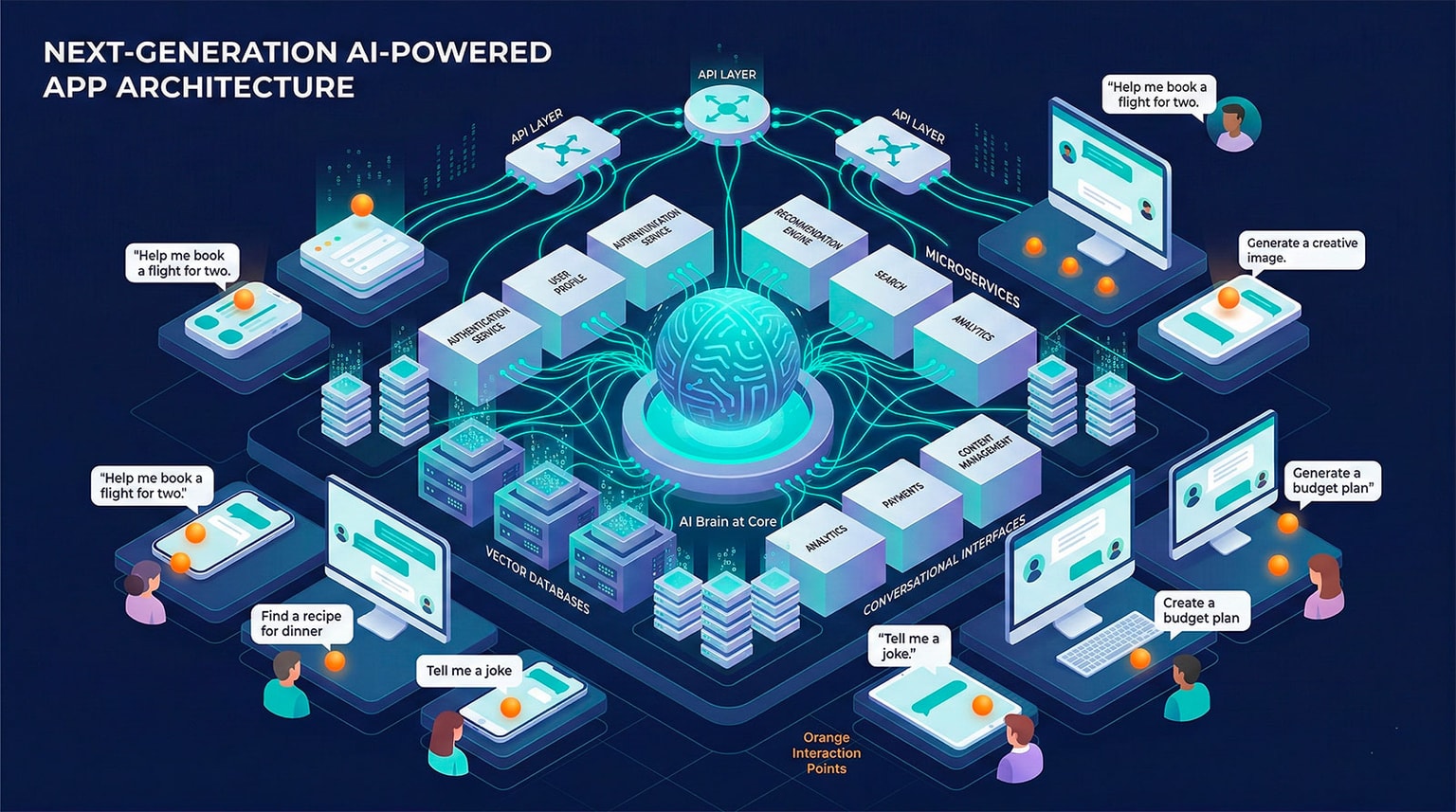
In traditional applications, business logic is coded explicitly. In AI-native apps, the LLM serves as the primary processing engine.
Traditional architecture:
User Input --> Validation --> Business Logic --> Database --> Response
AI-native architecture:
User Intent --> Context Assembly --> LLM Inference --> Tool Use --> Response Generation
Key components:
- Intent parsing — Understanding what the user wants from natural language input
- Context assembly — Gathering relevant data, history, and system state to include in the LLM prompt
- LLM inference — The model generates the response or determines what actions to take
- Tool use — The model calls APIs, queries databases, or executes code as needed
- Response generation — Formatting and delivering the output to the user
Pattern 2: RAG (Retrieval-Augmented Generation)
RAG is the foundational pattern for AI-native apps that need access to specific data:
- Index — Convert documents, code, or data into vector embeddings stored in a vector database
- Retrieve — When a user asks a question, find the most relevant documents/data
- Augment — Include the retrieved content in the LLM prompt as context
- Generate — The LLM generates a response grounded in the retrieved data
When to use RAG:
- Chatbots that answer questions about your product documentation
- Code assistants that understand your specific codebase
- Research tools that synthesize information from uploaded documents
- Customer support systems that reference your knowledge base
Pattern 3: Agent Architecture
Agent architecture enables AI-native apps to take actions, not just generate text. This pattern is powered by AI agents that can plan, execute, and iterate autonomously:
- Plan — The AI creates a step-by-step plan to accomplish the user's goal
- Execute — The AI executes each step, using tools and APIs
- Observe — The AI evaluates the result of each step
- Adapt — If a step fails, the AI adjusts its plan and retries
Tools in agent architecture:
- File system access (read, write, create files)
- Shell command execution (build, test, deploy)
- API calls through MCP (Model Context Protocol) and direct integrations (GitHub, cloud providers, databases)
- Browser interaction (research, testing)
- Code execution (running scripts, queries)
Pattern 4: Streaming and Progressive Generation
AI-native apps must handle the latency of LLM inference gracefully. Streaming architecture delivers partial results as they are generated:
- Token streaming — Display text as it is generated, word by word
- Progressive UI — Build interface elements as they become available
- Optimistic rendering — Show placeholders while AI generates content
- Background processing — Queue non-critical AI tasks for asynchronous completion
UX Patterns for AI-Native Applications
The Conversation-First Interface
AI-native apps replace forms and menus with conversation:
- Single input field — One text box replaces dozens of form fields
- Contextual suggestions — The AI suggests what the user might want to do next
- Iterative refinement — Users describe changes to generated output in natural language
- Mixed-mode interaction — Conversation combined with direct manipulation when needed
Handling AI Uncertainty
Unlike traditional software that returns deterministic results, AI-native apps must handle uncertainty:
- Confidence indicators — Show the user when the AI is uncertain about its output
- Source citations — Link claims to verifiable sources
- Alternative outputs — Offer multiple options for the user to choose from
- Human-in-the-loop checkpoints — Ask for confirmation before taking irreversible actions
- Graceful degradation — Clear messaging when the AI cannot fulfill a request
Designing for Latency
LLM inference takes seconds, not milliseconds. AI-native UX must account for this:
- Streaming output — Show results as they generate
- Progress indicators — Show what the AI is working on
- Contextual loading states — Fill wait time with relevant information
- Perceived performance — Animations and transitions that make waits feel shorter
- Idlen has demonstrated that AI wait times can even be monetized through contextual advertising — turning a UX challenge into a value-creating moment
Multi-Modal Interfaces
AI-native apps increasingly accept and generate multiple content types:
- Text to code — Describe functionality, get working code
- Image to code — Screenshot to functional UI implementation
- Voice to action — Spoken instructions executed by AI agents
- Code to documentation — Codebase to technical documentation
- Data to visualization — Datasets to charts and dashboards
Opportunities for Developers Building AI-Native Apps
The Market Opportunity
The AI-native application market is in its earliest stages. Most software categories have not yet been reimagined through an AI-native lens:
| Category | Current State | AI-Native Opportunity |
|---|---|---|
| Project management | AI features added to Jira, Asana | Fully AI-driven project orchestration |
| CRM | AI features added to Salesforce, HubSpot | AI-native relationship intelligence |
| Accounting | AI features added to QuickBooks | Conversational financial management |
| HR / Recruiting | AI screening added to existing ATS | AI-native talent matching and assessment |
| Education | AI tutors added to existing platforms | AI-native personalized learning |
| Healthcare | AI diagnostics added to existing EHR | AI-native clinical decision support |
Each of these represents a potential multi-billion-dollar category waiting for its "Cursor moment" — the AI-native product that redefines expectations.
Technical Skills Required
Building AI-native apps requires a combination of traditional and new skills:
Core AI-native skills:
- Prompt engineering and LLM integration patterns
- RAG architecture design and implementation
- Vector database selection and optimization (Pinecone, Weaviate, Chroma, pgvector)
- Streaming response handling and progressive UI rendering
- Context window management and token optimization
- Agent architecture and tool use implementation
- Cost optimization for API-dependent systems
Still-essential traditional skills:
- Frontend frameworks (React, Next.js, Svelte)
- Backend development (Node.js, Python, Go)
- Database design (SQL and NoSQL)
- API design and implementation
- Infrastructure and deployment
- Security and authentication
Getting Started: Your First AI-Native App
- Choose a narrow problem — Pick a specific task that AI can handle better than traditional software
- Start with a conversation interface — Build a chat-based UI that lets users describe what they want
- Integrate an LLM — Use Claude, GPT-4, or an open-source model as your processing core
- Add RAG for domain knowledge — Index relevant data and documents for context-aware responses
- Implement tool use — Enable the AI to take actions (query APIs, generate files, execute code)
- Handle edge cases gracefully — AI output is non-deterministic; build robust error handling
- Iterate based on user feedback — AI-native apps improve rapidly with usage data
The Future of AI-Native Applications
Everything Gets Reimagined
Every software category will eventually have an AI-native version. The question is not whether, but when and by whom. The developers and teams building AI-native applications today are establishing the foundational patterns, design languages, and architectural conventions that will define software for the next decade.
AI-Native Platforms Emerge
As the number of AI-native apps grows, platform opportunities emerge:
- AI-native app stores — Discovery and distribution for AI-native applications
- AI-native development platforms — Tools specifically designed for building AI-native apps
- AI-native advertising — Monetization models designed for AI interfaces, like Idlen's in-IDE advertising
Convergence with Hardware
AI-native applications are beginning to influence hardware design:
- Devices with dedicated AI accelerators (NPUs)
- Interfaces designed for voice and natural language input
- Always-on AI assistants that understand context from sensors and environment
FAQ
What is an AI-native application?
An AI-native application is software built from the ground up around AI capabilities, where AI is not a feature added to an existing product but the core of the product's architecture and user experience. Examples include Cursor (AI-native code editor), Perplexity (AI-native search), and Midjourney (AI-native image creation). These apps feature natural language interfaces, dynamic content generation, and continuous learning from usage.
How do AI-native apps differ from AI-enhanced legacy apps?
AI-enhanced legacy apps add AI features to existing products (like adding Copilot to Microsoft Office). AI-native apps are designed from scratch with AI at the core. The differences are architectural: AI-native apps use LLMs as the primary processing engine rather than traditional logic, feature conversational interfaces as the main interaction model, generate content dynamically rather than retrieving it from databases, and adapt their behavior based on context rather than following predetermined workflows. The choice between open source and proprietary AI models significantly affects how these architectures are designed.
What skills do developers need to build AI-native apps?
Building AI-native apps requires skills in prompt engineering and LLM integration, RAG (Retrieval-Augmented Generation) architecture, streaming response handling, context window management, embedding and vector database design, AI-aware UX design (handling latency, uncertainty, and multi-modal output), and cost optimization for API-dependent architectures. Traditional full-stack skills remain essential, but they must be combined with deep understanding of AI model capabilities and limitations.
Build AI-Native Applications and Monetize with Idlen
The AI-native application revolution is creating new opportunities for developers — both in building next-generation software and in monetizing the development process itself. Idlen enables developers to earn passive income while coding by displaying non-intrusive, contextual ads during AI wait times in their IDE. Whether you are building the next AI-native breakthrough or using AI tools to code faster, join Idlen and turn your development time into revenue.
Earn passive income while you code
Install Idlen and earn money from your idle browser time. Zero extra work, 100% privacy.