Best AI Tools for UI/UX Design in 2026
Discover the best AI-powered tools for UI/UX design in 2026. Compare v0 by Vercel, Galileo AI, Figma AI, Uizard, Framer AI, and Midjourney for generating interfaces, prototypes, and design systems.
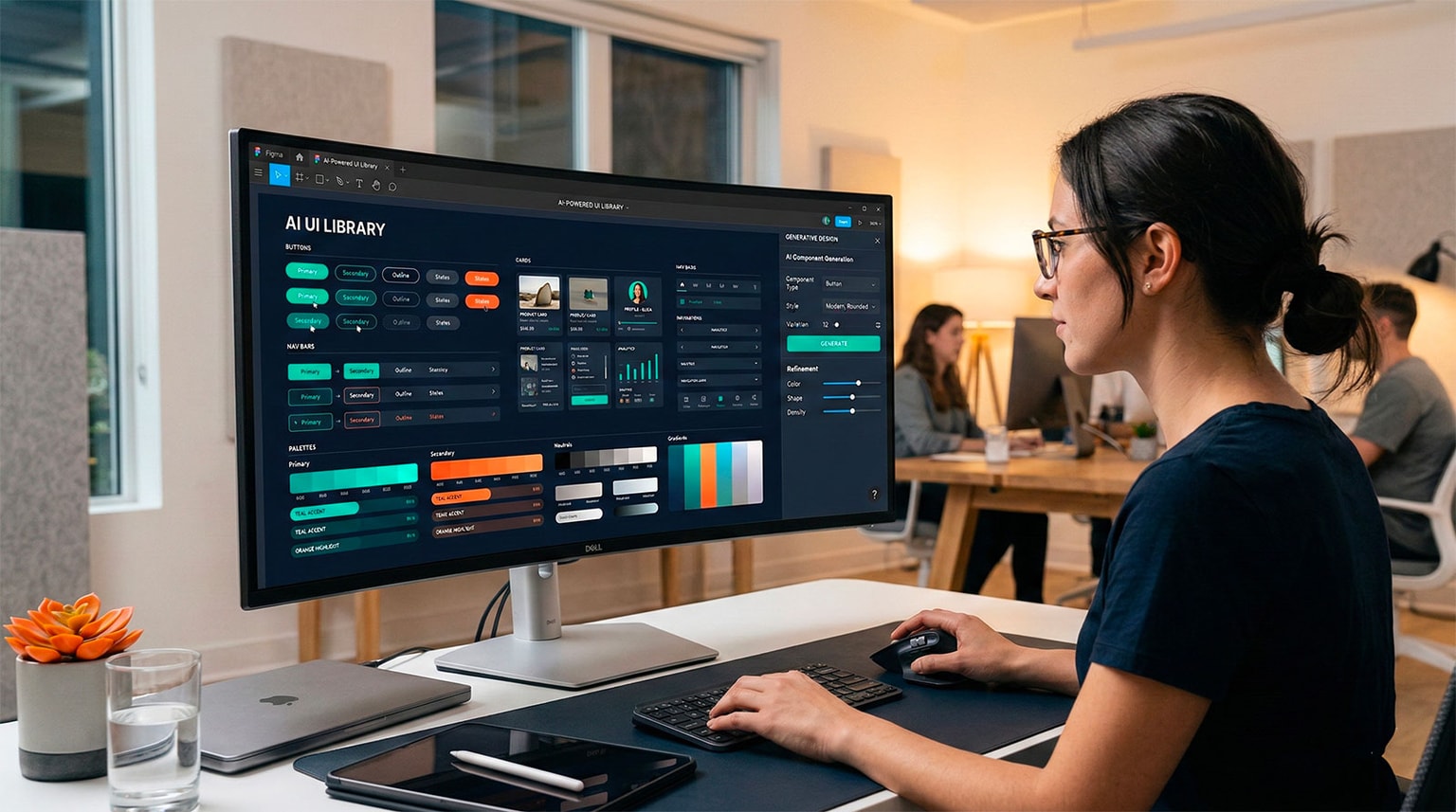
Best AI Tools for UI/UX Design in 2026
The design world is undergoing its own AI revolution. What once required hours of wireframing, prototyping, and pixel-pushing can now be accomplished in minutes with AI-powered tools that generate complete interfaces from text descriptions, turn sketches into polished designs, and even produce production-ready code.
But the landscape is noisy. Dozens of tools claim to "revolutionize" design with AI, and the quality varies enormously. This guide cuts through the hype with honest reviews of the best AI design tools available in 2026, based on real-world testing across different design scenarios.
Whether you are a UI/UX designer looking to speed up your workflow, a developer who needs to create interfaces without a design team, or a founder prototyping your next product, this guide will help you choose the right tools.
Quick Comparison Table
| Tool | Best For | Price | Output | Code Generation | Design Quality |
|---|---|---|---|---|---|
| v0 (Vercel) | React/Next.js components | Free/$20/mo | Code + Preview | Excellent (React/Tailwind) | Very Good |
| Galileo AI | Complete UI designs | $15-50/mo | Design files | Limited | Excellent |
| Figma AI | Figma users | Included with Figma | Figma files | No | Very Good |
| Uizard | Rapid prototyping | Free/$12-39/mo | Prototypes | Basic | Good |
| Framer AI | Marketing sites | Free/$15-30/mo | Live websites | Good (Framer) | Excellent |
| Midjourney | Visual concepts | $10-60/mo | Images | No | Outstanding |
1. v0 by Vercel
Overview
v0 is Vercel's AI-powered UI generation tool that takes natural language descriptions and produces production-ready React components styled with Tailwind CSS. It is not a traditional design tool—it is a code generation tool that happens to produce beautiful interfaces.
This distinction matters. v0 is built for developers and technical designers who want to go from idea to working component as fast as possible.
How It Works
You describe the component or page you want in plain English:
Create a pricing page with three tiers (Basic, Pro, Enterprise).
Each tier should have a title, price, feature list, and CTA button.
Use a clean, modern design with the Pro tier highlighted.
Make it responsive.
v0 generates a complete React component with:
- Clean JSX structure
- Tailwind CSS styling
- Responsive layout
- Accessibility attributes
- Shadcn/ui components where appropriate
You can then iterate by describing changes ("make the buttons rounded," "add a toggle for monthly/annual pricing," "use a dark color scheme") and v0 updates the component accordingly.
Strengths
- Production-ready code: The output is clean, well-structured React that you can drop directly into a Next.js project
- Shadcn/ui integration: v0 uses shadcn/ui components, which are widely adopted and easily customizable
- Iterative refinement: You can refine the design through conversation, asking for specific changes
- Responsive by default: Generated components are mobile-responsive out of the box
- Fast: Most generations take under 30 seconds
- Free tier available: Basic usage costs nothing
Weaknesses
- React/Next.js only: If your project uses Vue, Angular, Svelte, or another framework, the output needs translation
- Limited design sophistication: While the output looks professional, it follows common patterns and rarely produces truly innovative designs
- No design file export: You cannot export to Figma, Sketch, or other design tools
- Consistency across components: Generating multiple components separately can lead to inconsistencies
- Token limitations on free tier: Free users face strict generation limits
Pricing
| Plan | Price | Includes |
|---|---|---|
| Free | $0 | Limited generations, basic models |
| Premium | $20/month | More generations, faster models, priority access |
| Team | Custom | Shared workspace, team features |
Best For
- Developers building React/Next.js applications who need UI components fast
- Solo founders prototyping products without a designer
- Frontend developers looking for starting points and inspiration
- Hackathon projects and rapid prototyping
Real-World Test Results
| Task | Quality | Time | Notes |
|---|---|---|---|
| Landing page hero section | 9/10 | 20s | Excellent, production-ready |
| Dashboard with charts | 7/10 | 25s | Good layout, needed chart library integration |
| E-commerce product grid | 8/10 | 15s | Clean, responsive, well-structured |
| Complex form with validation | 7/10 | 30s | Good structure, validation logic needed manual work |
| Mobile navigation menu | 9/10 | 15s | Excellent hamburger menu with animations |
2. Galileo AI
Overview
Galileo AI is a dedicated AI design tool that generates complete, high-fidelity UI designs from text descriptions. Unlike v0, which outputs code, Galileo produces visual designs that look like they came from a skilled designer's hand.
Galileo excels at the ideation and exploration phase—when you need to see multiple design options quickly before committing to an approach.
How It Works
You describe the screen or interface you want:
Design a mobile banking app dashboard showing account balance,
recent transactions, spending categories chart, and quick action
buttons for transfer, pay, and deposit.
Galileo generates a polished, high-fidelity design with:
- Realistic UI components and layouts
- Proper typography and spacing
- Color schemes and visual hierarchy
- Appropriate iconography
- Multiple design variations to choose from
Strengths
- Design quality: Galileo produces genuinely beautiful designs that rival professional designer output
- Multiple variations: Each prompt generates several design options, helping with creative exploration
- Text and content generation: Realistic placeholder text and data that makes designs look authentic
- Style customization: You can specify design systems, color schemes, and visual styles
- Editable output: Designs can be exported and edited in Figma
- Mobile and desktop: Generates designs for any screen size
Weaknesses
- No code output: Galileo generates designs, not code. You still need to implement the designs manually or with another tool
- Limited interactivity: Generated designs are static—no animations, transitions, or interactive prototyping
- Consistency challenges: Maintaining a consistent design system across multiple generated screens requires manual effort
- Occasionally generic: Some generated designs can feel template-like rather than unique
- Learning curve for best results: Getting great output requires learning how to write effective design prompts
Pricing
| Plan | Price | Includes |
|---|---|---|
| Starter | $15/month | 200 generations, basic export |
| Professional | $30/month | Unlimited generations, Figma export, high-res |
| Team | $50/month/seat | Shared workspace, brand guidelines, priority |
Best For
- UI/UX designers looking for rapid ideation and exploration
- Product managers creating visual mockups for stakeholder discussions
- Startups exploring design directions before hiring a full-time designer
- Design teams generating initial concepts to iterate on
Real-World Test Results
| Task | Quality | Variations | Notes |
|---|---|---|---|
| Mobile banking dashboard | 9/10 | 4 options | Impressive detail and polish |
| SaaS settings page | 8/10 | 3 options | Clean and professional |
| Social media profile | 8/10 | 4 options | Modern, trendy designs |
| E-commerce checkout flow | 7/10 | 3 options | Good but needed UX refinement |
| Admin data table view | 7/10 | 3 options | Functional but somewhat generic |
3. Figma AI
Overview
Figma AI is Figma's integrated suite of AI features built directly into the world's most popular design tool. Rather than being a separate product, Figma AI enhances the existing Figma workflow with AI-powered capabilities like auto layout suggestions, asset search, text generation, and design generation.
Key Features
AI-Powered Design Generation: Describe a component or layout in natural language, and Figma AI generates it within your Figma canvas. The generated design uses your existing design system, styles, and components when available.
Visual Search: Search for components, assets, and design patterns across your Figma files using natural language descriptions rather than exact names.
Auto Layout Suggestions: Figma AI analyzes your designs and suggests optimal auto layout configurations, saving time on responsive design setup.
Content Generation: Generate realistic placeholder text, names, dates, and data that fit your design context. No more "Lorem ipsum" that makes designs look unrealistic.
Rename Layers: AI automatically renames your layers with descriptive, organized names—ending the chaos of "Frame 247" and "Rectangle 89."
Design Linting: AI-powered suggestions for improving consistency, spacing, alignment, and adherence to your design system.
Strengths
- Integrated into your existing tool: No context switching—AI features are part of the Figma canvas you already use
- Design system awareness: Generates designs using your existing components and styles
- Collaborative: AI features work within Figma's collaborative editing model
- Non-destructive: AI suggestions are additive—your existing work is never overwritten
- Constantly improving: Figma ships AI improvements regularly as part of the platform
Weaknesses
- Figma-only: These features are exclusive to Figma—no Sketch, Adobe XD, or other tool equivalents
- Not fully generative: Figma AI augments your workflow rather than generating complete designs from scratch like Galileo
- Variable quality: AI-generated components are sometimes basic and need significant refinement
- Feature maturity: Some AI features are still in beta and not fully reliable
- Cost bundled with Figma: No separate pricing—you need a Figma subscription
Pricing
| Plan | Price | AI Features |
|---|---|---|
| Figma Free | $0 | Limited AI features |
| Professional | $15/month per editor | Full AI features |
| Organization | $45/month per editor | Full AI + admin controls |
| Enterprise | $75/month per editor | Full AI + SSO, advanced security |
Best For
- Designers already working in Figma who want AI augmentation
- Teams with established Figma design systems
- Collaborative design teams that need AI features within their existing workflow
- Organizations already paying for Figma who want AI without additional tool costs
4. Uizard
Overview
Uizard is an AI-powered design and prototyping tool specifically built for non-designers. Its core promise is that anyone—product managers, developers, founders—can create professional-looking wireframes, mockups, and prototypes without design skills.
Key Features
Text-to-Design: Describe your app or page in natural language and Uizard generates a multi-screen prototype. This goes beyond single screens—you can generate entire user flows.
Screenshot-to-Design: Upload a screenshot of any website or app, and Uizard converts it into editable design components. Useful for quickly recreating or iterating on existing designs.
Hand-drawn Sketch to Design: Draw a rough wireframe on paper, take a photo, and Uizard transforms it into a polished digital design. This bridges the gap between whiteboard sessions and digital prototyping.
Theme Generator: Describe a visual style, upload a brand image, or reference a website, and Uizard generates a complete design theme with colors, typography, and component styles.
Interactive Prototyping: Link screens together to create interactive prototypes with click-through navigation. No code needed.
Strengths
- Lowest barrier to entry: Designed for non-designers; the learning curve is minimal
- Multi-screen generation: Generates entire user flows, not just individual screens
- Sketch-to-design: The hand-drawn sketch conversion is genuinely useful for rapid ideation
- Interactive prototypes: Built-in prototyping without needing a separate tool
- Affordable: Generous free tier and reasonable paid plans
- Team collaboration: Real-time collaboration features for team design sessions
Weaknesses
- Lower design fidelity: Output quality is below Galileo and Figma for polished, production-ready designs
- Limited customization: Editing generated designs is more constrained than in Figma or Sketch
- Basic code export: The code export feature produces basic HTML/CSS that is not production-ready
- Not suitable for complex design systems: Lacks the sophistication needed for large-scale design system management
- Template-dependent: Many generated designs lean heavily on template patterns
Pricing
| Plan | Price | Includes |
|---|---|---|
| Free | $0 | 3 projects, limited AI generations |
| Pro | $12/month | Unlimited projects, full AI features |
| Business | $39/month | Team features, brand kit, priority support |
| Enterprise | Custom | SSO, admin controls, dedicated support |
Best For
- Non-designers (PMs, developers, founders) who need to create mockups quickly
- Teams doing rapid ideation and early-stage prototyping
- Startups validating ideas before investing in professional design
- Anyone who wants to go from whiteboard sketch to digital prototype in minutes
Real-World Test Results
| Task | Quality | Time | Notes |
|---|---|---|---|
| Mobile app (5 screens) | 7/10 | 2 min | Functional, needs polish |
| Landing page | 7/10 | 1 min | Decent starting point |
| Sketch-to-design conversion | 8/10 | 30s | Impressive accuracy |
| Dashboard prototype | 6/10 | 2 min | Basic, template-like |
| E-commerce flow (8 screens) | 7/10 | 3 min | Good structure, generic visuals |
5. Framer AI
Overview
Framer AI combines AI-powered design generation with Framer's no-code website builder, creating a unique tool that generates complete, publishable websites from text descriptions. Unlike tools that generate designs or code separately, Framer AI produces live, interactive websites that can be published immediately.
How It Works
You describe the website you want:
Create a landing page for a developer productivity SaaS.
Include a hero section with headline and CTA,
features section with 3 columns,
testimonials carousel,
pricing table with 3 tiers,
and a footer with social links.
Use a dark theme with purple accents.
Framer AI generates a complete, animated, responsive website with:
- Professional layout and typography
- Smooth scroll animations and transitions
- Responsive design for all screen sizes
- Realistic content and copy
- Interactive elements (forms, buttons, accordions)
- Custom domain publishing
Strengths
- End-to-end solution: From description to published website in minutes
- Beautiful output: Framer AI generates some of the most visually polished websites among AI tools
- Built-in animations: Smooth, professional animations without any coding
- Responsive: Generated sites look great on mobile, tablet, and desktop
- Custom domains: Publish directly with your own domain
- CMS integration: Content management system for blog posts and dynamic content
- SEO features: Built-in SEO settings, sitemap generation, and meta tags
- Component-based: Edit individual sections independently
Weaknesses
- Marketing sites focus: Best suited for landing pages, marketing sites, and portfolios rather than web applications
- Framer ecosystem: You are locked into the Framer platform for hosting and editing
- Limited application logic: Cannot build complex web applications—this is a website builder, not an app builder
- Customization ceiling: While editing is flexible, you eventually hit limitations that a custom-coded site would not have
- Export limitations: Moving away from Framer requires rebuilding the site elsewhere
Pricing
| Plan | Price | Includes |
|---|---|---|
| Free | $0 | Framer subdomain, basic features |
| Mini | $15/month | Custom domain, 1 site |
| Basic | $25/month | More bandwidth, analytics |
| Pro | $30/month | Advanced features, CMS, forms |
Best For
- Startups and indie hackers who need a professional landing page fast
- Marketing teams creating campaign-specific pages
- Freelancers building client websites efficiently
- Developers who need a marketing site for their product without spending time on frontend design
Real-World Test Results
| Task | Quality | Time | Notes |
|---|---|---|---|
| SaaS landing page | 9/10 | 3 min | Stunning, ready to publish |
| Portfolio website | 9/10 | 2 min | Beautiful layouts and animations |
| Agency homepage | 8/10 | 3 min | Professional, needed copy refinement |
| Product launch page | 9/10 | 2 min | Excellent hero and CTA sections |
| Blog/content site | 7/10 | 4 min | Good, CMS setup needed manual work |
6. Midjourney for UI/UX
Overview
Midjourney is primarily an AI image generation tool, not a UI design tool. However, it has become a valuable part of many designers' workflows for generating visual concepts, UI inspiration, mood boards, and design exploration.
How Designers Use Midjourney
UI Concept Exploration: Generate visual concepts for app interfaces to explore design directions before committing to detailed wireframes.
Futuristic fintech mobile app dashboard, dark mode, glassmorphism,
showing account balance and transaction history, professional UI
design, Dribbble style --ar 9:16 --v 6
Icon and Illustration Generation: Create custom icons, illustrations, and visual assets for use in designs.
Mood Board Creation: Quickly generate visual mood boards to align stakeholder expectations early in the design process.
Marketing Asset Generation: Create hero images, background visuals, and promotional graphics for websites and apps.
Strengths
- Visual quality: Midjourney produces the highest-quality visual output among all AI tools
- Creative exploration: Excellent for exploring diverse design directions quickly
- Versatility: Can generate icons, illustrations, UI concepts, photos, and abstract visuals
- Style control: Extensive prompt engineering allows precise control over visual style
- Community and inspiration: Active community sharing prompts and techniques
Weaknesses
- Not a design tool: Midjourney generates images, not editable design files
- Not pixel-perfect: Generated UIs are conceptual—text is often garbled, layouts are approximate
- Cannot produce components: You cannot extract buttons, input fields, or other UI components from generated images
- Requires post-processing: Generated images need cleanup and adaptation in actual design tools
- Discord-based workflow: The primary interface is Discord, which is not ideal for professional design workflows (though the web interface has improved)
Pricing
| Plan | Price | Includes |
|---|---|---|
| Basic | $10/month | ~200 images/month |
| Standard | $30/month | 15 hours fast generation |
| Pro | $60/month | 30 hours fast, stealth mode |
| Mega | $120/month | 60 hours fast generation |
Best For
- Designers exploring visual directions during the ideation phase
- Marketing teams creating hero images and promotional graphics
- Product teams generating concept visuals for stakeholder presentations
- Designers who need custom illustrations and icons
Feature-by-Feature Comparison
Design Generation Quality
| Tool | Text-to-Design | Fidelity | Creativity | Consistency |
|---|---|---|---|---|
| v0 | Excellent (code) | High | Medium | Good |
| Galileo AI | Excellent (design) | Very High | High | Medium |
| Figma AI | Good (augmented) | High | Medium | High (design system) |
| Uizard | Good | Medium | Medium | Medium |
| Framer AI | Excellent (website) | Very High | High | Good |
| Midjourney | Conceptual only | N/A | Very High | Low |
Output Types
| Tool | Design Files | Production Code | Interactive Prototype | Published Website | Images/Assets |
|---|---|---|---|---|---|
| v0 | No | Yes (React) | Preview only | Via Vercel | No |
| Galileo AI | Yes (Figma) | Limited | No | No | No |
| Figma AI | Yes (Figma) | No | Via Figma | No | No |
| Uizard | Yes | Basic HTML | Yes | No | No |
| Framer AI | Yes (Framer) | Framer code | Yes | Yes | No |
| Midjourney | No | No | No | No | Yes |
Workflow Integration
| Tool | Figma Integration | GitHub Integration | Tailwind/CSS | Design System Support | Team Collaboration |
|---|---|---|---|---|---|
| v0 | No | Yes (via Vercel) | Native | Via shadcn/ui | Basic |
| Galileo AI | Export to Figma | No | No | Limited | Yes |
| Figma AI | Native | Via plugins | Via plugins | Full | Full |
| Uizard | Export | No | No | Limited | Yes |
| Framer AI | Import/Export | No | No | Component-based | Yes |
| Midjourney | Manual | No | No | No | Community |
Choosing the Right Tool: Decision Framework
For Developers (No Designer on Team)
Primary recommendation: v0 by Vercel
v0 gives you production-ready React components that you can immediately use in your project. No design-to-code translation needed. Supplement with Framer AI for marketing pages and landing pages.
Workflow:
- Use v0 to generate UI components
- Customize in your IDE
- Use Framer AI for your marketing site
- Use Midjourney for hero images and promotional graphics
For UI/UX Designers
Primary recommendation: Figma AI (if already on Figma) or Galileo AI (for rapid ideation)
Use Figma AI to augment your existing workflow and Galileo AI when you need rapid design exploration and inspiration.
Workflow:
- Use Galileo AI for initial concept generation
- Import into Figma for refinement
- Use Figma AI for auto layout, content generation, and design system consistency
- Use Midjourney for custom visual assets
For Product Managers and Non-Designers
Primary recommendation: Uizard
Uizard has the lowest barrier to entry and lets you go from idea to interactive prototype quickly without design skills.
Workflow:
- Sketch your idea on paper
- Use Uizard to convert sketch to digital prototype
- Create interactive flows for user testing
- Hand off to designers for polishing
For Marketing Teams
Primary recommendation: Framer AI
Framer AI generates complete, publishable marketing websites in minutes. Perfect for campaign pages, product launches, and A/B testing different designs.
Workflow:
- Describe your marketing page to Framer AI
- Customize content and branding
- Publish directly to a custom domain
- Iterate based on analytics
For Startups and Founders
Primary recommendation: v0 + Framer AI
Use v0 for your product interface and Framer AI for your marketing site. This combination covers both your product and marketing needs without hiring a designer.
The State of AI Design in 2026: Honest Assessment
What AI Design Tools Do Well
- Speed: Generate initial designs 10-50x faster than manual design
- Exploration: Quickly see multiple design directions and options
- Consistency: Maintain reasonable consistency when properly configured
- Accessibility: Make design accessible to non-designers
- Boilerplate elimination: Handle common patterns (nav bars, footers, forms) instantly
- Content generation: Produce realistic placeholder content that makes designs look authentic
What AI Design Tools Still Cannot Do
- Truly original design: AI designs are combinations of existing patterns—breakthrough innovation still requires human creativity
- User research integration: AI cannot incorporate deep user insights, behavioral data, or ethnographic research into designs
- Brand strategy: AI generates visually appealing designs but cannot make strategic brand decisions
- Emotional design: Crafting designs that evoke specific emotions requires human empathy and understanding
- Accessibility beyond basics: While AI can add ARIA labels, truly accessible design requires human judgment about cognitive load, neurodiversity, and cultural context
- Design system architecture: Creating a coherent, scalable design system requires architectural thinking that AI tools do not yet possess
The Designer's Role Is Evolving, Not Disappearing
AI design tools are not replacing designers. They are changing what designers spend their time on:
| Before AI | After AI |
|---|---|
| Creating wireframes from scratch | Directing and refining AI-generated concepts |
| Pixel-pushing UI components | Curating and customizing AI output |
| Producing design variations manually | Reviewing AI-generated variations |
| Writing placeholder content | Focusing on real content strategy |
| Routine layout work | Strategic design decisions and user research |
The most valuable design skills in 2026 are creative direction, user research, design strategy, and the ability to evaluate and refine AI output—not the mechanical production of pixels.
Tips for Getting the Best Results from AI Design Tools
1. Write Detailed Prompts
Just like with code generation, the quality of your prompt directly affects the quality of the output.
Vague prompt:
Make a settings page
Detailed prompt:
Design a settings page for a B2B SaaS application. Include sections
for Profile (avatar, name, email), Notifications (toggle switches for
email, push, SMS), Security (2FA setup, password change), and Billing
(current plan, payment method, usage). Use a left sidebar navigation
with a clean, professional layout. Light theme with blue accent color.
2. Iterate Rather Than Start Over
AI tools produce better results when you refine iteratively rather than regenerating from scratch. Start with a base generation, then ask for specific changes.
3. Maintain a Reference Library
Save examples of designs you like and reference them in your prompts. Many tools support image references or style descriptions that dramatically improve output quality.
4. Combine Multiple Tools
No single tool does everything. The best workflows combine:
- Midjourney for visual concepts and assets
- Galileo AI or Figma AI for high-fidelity designs
- v0 for production code
- Framer AI for marketing pages
5. Always Refine the Output
AI-generated designs are starting points, not finished products. Always review for:
- Accessibility compliance
- Brand consistency
- Visual hierarchy
- Content accuracy
- Responsive behavior
- Interaction design
Frequently Asked Questions
What is the best AI tool for UI design in 2026?
The best AI tool depends on your needs. v0 by Vercel is best for generating production-ready React/Next.js components. Figma AI is best for designers already in the Figma ecosystem. Galileo AI excels at generating complete UI designs from text descriptions. Framer AI is ideal for marketing sites and landing pages.
Can AI replace UI/UX designers?
No. AI tools accelerate the design process by generating initial concepts, creating variations, and handling repetitive tasks, but they cannot replace the strategic thinking, user research, empathy, and creative judgment that human designers provide. AI is best used as a productivity multiplier for designers.
Is v0 by Vercel free to use?
v0 offers a free tier with limited generations per month. The Pro plan at $20/month provides more generations, faster processing, and access to advanced features. For teams, pricing is available on request.
Which AI design tool generates the best production code?
v0 by Vercel generates the best production-ready code, outputting clean React components with Tailwind CSS that can be directly used in Next.js projects. Framer AI also produces deployable code within the Framer platform. Most other tools focus on design output rather than code.
Can I use Midjourney for UI design?
Midjourney is excellent for generating UI concepts, visual inspiration, and design exploration, but it does not produce usable design files or code. Think of it as a visual brainstorming tool rather than a UI design tool. Use it for inspiration, then recreate the design in Figma or implement it in code.
Which tool is best for non-designers?
Uizard is specifically designed for non-designers, with the lowest learning curve and features like sketch-to-design conversion. v0 is also accessible for developers who want UI components without design skills. Framer AI is excellent for anyone needing a professional website quickly.
Conclusion
AI design tools in 2026 have reached a level of quality and accessibility that makes them genuinely useful across the entire design spectrum. Whether you are a seasoned designer looking to accelerate your workflow or a developer who needs to create interfaces without a design team, there is a tool that fits your needs.
The key is matching the tool to your specific use case:
- Need production code? Use v0
- Need high-fidelity designs? Use Galileo AI or Figma AI
- Need a live website? Use Framer AI
- Need rapid prototypes? Use Uizard
- Need visual inspiration? Use Midjourney
And remember: the best results come from combining tools, iterating on output, and applying human judgment to AI-generated designs. AI is the fastest brush, but you are still the artist.
Turn Your Downtime Into Revenue with Idlen
Designing with AI tools means waiting for generations, reviewing outputs, and iterating on results. During those idle moments, Idlen puts your machine to work generating passive income. Whether you are waiting for Midjourney to render or v0 to generate components, your development machine can earn money in the background with Idlen.
Related Articles
- Best AI Coding Assistants in 2026 — AI tools for the coding side
- Claude Code vs Copilot Workspace vs Cursor Composer — AI IDE comparison
- 15 AI Tools That Actually Improve Developer Workflow — Complete AI toolkit
- Vibe Coding: How AI Is Changing Developer Work — The new development paradigm
- Passive Income Ideas for Developers in 2026 — Monetize your workflow with Idlen
Earn passive income while you code
Install Idlen and earn money from your idle browser time. Zero extra work, 100% privacy.